







+18 - Check if the casino you want to register with is eligible in your country.

Stake.com accepts 21 cryptocurrencies including Bitcoin, Ethereum, Solana, Litecoin, Dogecoin, three stablecoins (USDT, USDC, DAI), and meme coins like SHIB and TRUMP, all usable for deposits, wagering, and withdrawals. According to Stake.com’s official help documentation, the platform supports a diverse range of digital assets to accommodate different player preferences and risk profiles. The full roster includes major cryptocurrencies, layer-1 networks, and emerging tokens that have gained traction in the crypto gambling community.
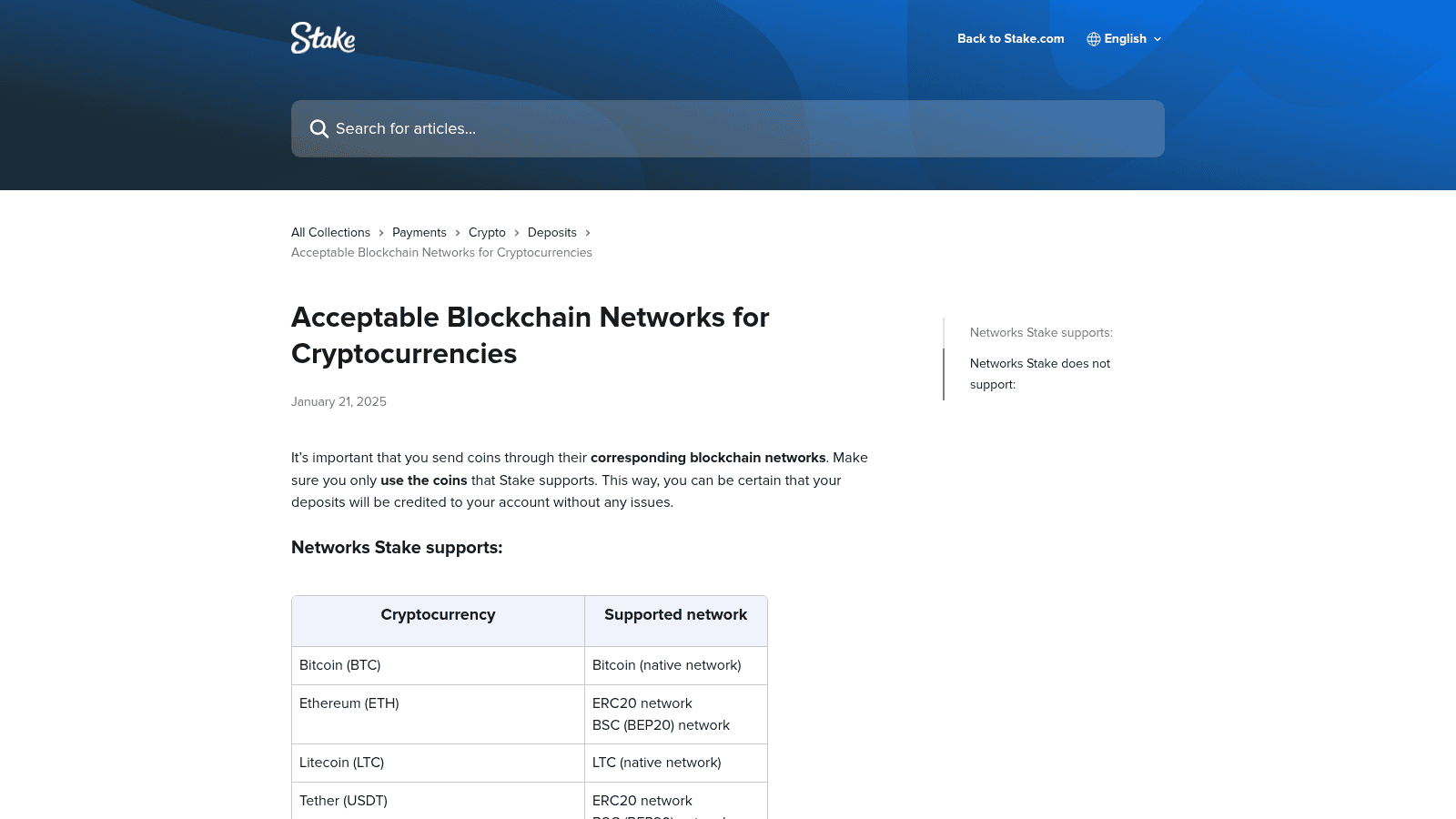
Bitcoin (BTC) remains the flagship option, operating on its native blockchain. Ethereum (ETH) is available on both ERC20 and BSC (BEP20) networks, giving players flexibility in deposit speed and fees. Solana (SOL) runs on its native network and has become popular for fast, low-cost transactions. Litecoin (LTC), Dogecoin (DOGE), Bitcoin Cash (BCH), Ripple (XRP), EOS, and Tron (TRX) each operate on their respective native or designated networks. Binance Coin (BNB) is available exclusively on the BSC (BEP20) network.
Stake.com supports three stablecoins pegged to the US Dollar: Tether (USDT), USD Coin (USDC), and DAI. These eliminate price volatility during gameplay, allowing players to maintain predictable balances. USDT and USDC are available on multiple networks, while DAI is limited to ERC20, BEP20, and Polygon. Binance USD (BUSD) is available for withdrawals only, not deposits.
Beyond the majors, Stake.com accepts Ape Coin (APE), Chainlink (LINK), Sand Coin (SAND), Shiba Inu (SHIB), Uniswap (UNI), Polygon (POL), Cronos (CRO), and TRUMP. Each operates on specific networks, typically ERC20 or BSC (BEP20). TRUMP is unique, available exclusively on the Solana network. These tokens appeal to players seeking exposure to DeFi, gaming, or community-driven projects while wagering.
| Cryptocurrency | Supported Network(s) |
|---|---|
| Bitcoin (BTC) | Bitcoin (native) |
| Ethereum (ETH) | ERC20, BSC (BEP20) |
| Litecoin (LTC) | LTC (native) |
| Tether (USDT) | ERC20, BSC (BEP20), Polygon, TRC20 (Tron), Solana |
| Dogecoin (DOGE) | Dogecoin (native) |
| Bitcoin Cash (BCH) | BCH (native) |
| Ripple (XRP) | Ripple (native) |
| EOS | EOS (native) |
| Tron (TRX) | TRC20 (native) |
| Binance Coin (BNB) | BSC (BEP20) |
| USD Coin (USDC) | ERC20, BSC (BEP20), Polygon, Solana |
| Ape Coin (APE) | ERC20 |
| Binance USD (BUSD) | ERC20 (withdrawals only) |
| Cronos (CRO) | ERC20 |
| DAI | ERC20, BSC (BEP20), Polygon |
| Chainlink (LINK) | ERC20, BSC (BEP20) |
| Sand Coin (SAND) | ERC20 |
| Shiba Inu (SHIB) | ERC20, BSC (BEP20) |
| Uniswap (UNI) | ERC20, BSC (BEP20) |
| Polygon (POL) | ERC20, BSC (BEP20), Polygon |
| Solana (SOL) | Solana (native) |
| TRUMP | Solana |
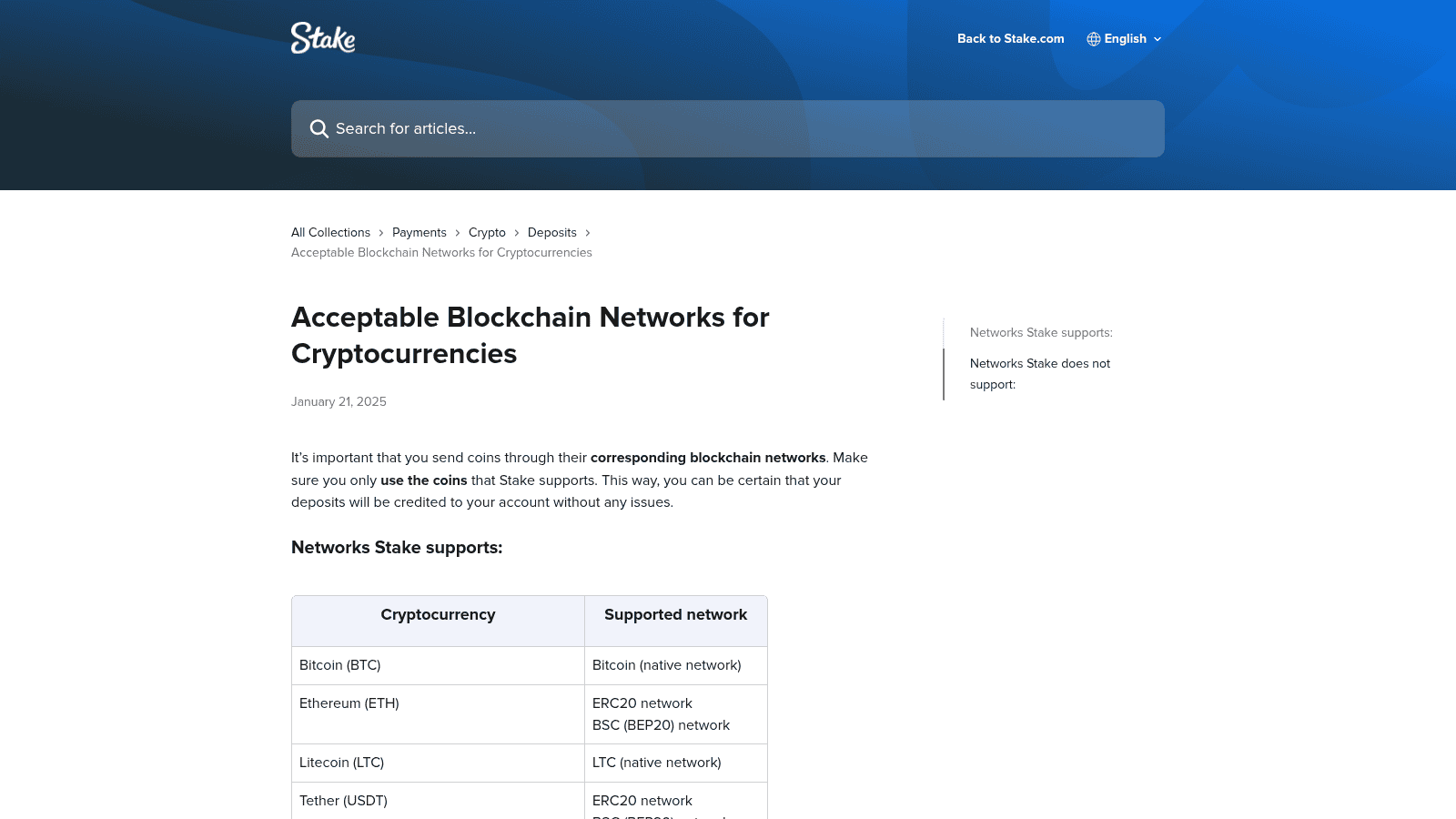
Arbitrum and Optimism are layer-2 scaling solutions built on top of Ethereum. While they reduce fees and increase speed, Stake.com has not integrated the infrastructure to accept deposits on these networks. Sending funds to an Arbitrum or Optimism address on Stake will not credit your account. The funds will be sent to a wallet address that Stake does not monitor or control, resulting in permanent loss. Always use ERC20 (Ethereum mainnet) for Ethereum-based deposits, not layer-2 alternatives.
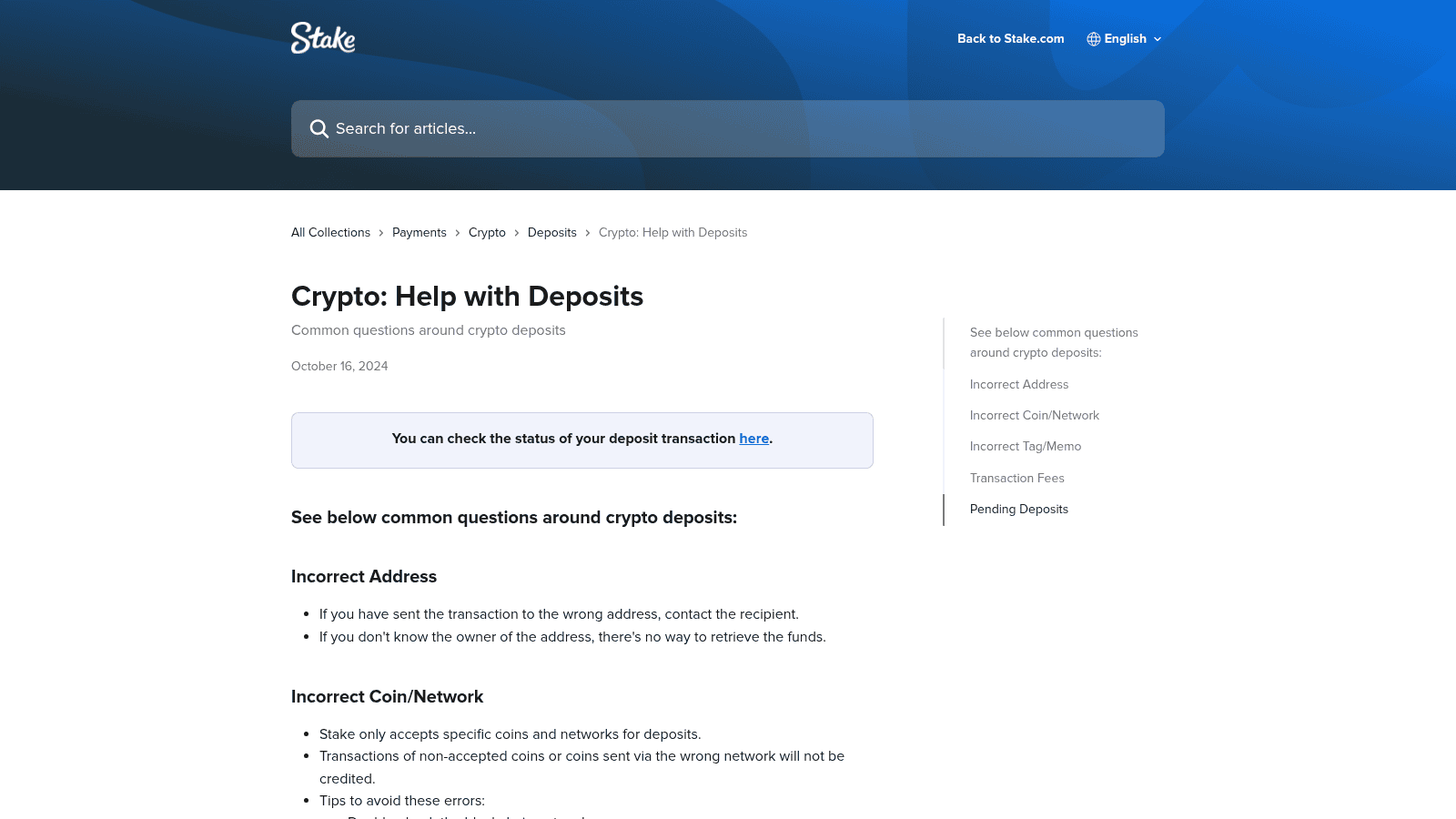
Cryptocurrency transactions are irreversible once broadcast to the blockchain. If you send coins to Stake.com on an unsupported network, the transaction will settle on that network, but Stake will not credit your account. The funds remain in a wallet address that Stake does not actively manage. Recovery is not guaranteed, even if you contact support. The only way to prevent this is to verify the network in the Stake interface before copying your deposit address and confirming the transaction from your exchange.
Stake.com supports three stablecoins, USDT, USDC, and DAI, all pegged to the US Dollar. They eliminate price volatility risk and are ideal for players who want predictable balances during gameplay. Stablecoins are cryptocurrencies designed to maintain a fixed value, typically $1 USD. Unlike Bitcoin or Ethereum, which fluctuate in price, stablecoins allow you to wager without worrying about the value of your balance changing between deposit and withdrawal.
DAI is a decentralised stablecoin that is crypto-collateralised and serves as the native stablecoin for the Maker protocol. For most players, USDT is the safest choice due to its ubiquity. USDC is preferred by those prioritizing regulatory transparency. DAI appeals to players interested in decentralized finance principles. All three maintain their $1 peg reliably.
Solana is the fastest and cheapest network for stablecoin deposits, with confirmation times under one second and minimal fees. Polygon follows closely, offering near-instant settlement and minimal fees. BSC (BEP20) provides moderate speed and low fees, suitable for most players. ERC20 (Ethereum mainnet) is the most established but can experience higher fees during periods of network congestion. TRC20 (Tron) is fast and cheap but less commonly offered by exchanges. If your exchange supports Solana or Polygon withdrawals for stablecoins, use those networks for the best experience.
| Cryptocurrency | Minimum Withdrawal | Network Fee (approx.) |
|---|---|---|
| Bitcoin (BTC) | Variable (Bitcoin network) | |
| Ethereum (ETH) | 0.001 ETH | Variable (ERC20/BSC) |
| Litecoin (LTC) | 0.001 LTC | Low (LTC network) |
| Tether (USDT) | 10 USDT | Variable by network |
| Dogecoin (DOGE) | 1 DOGE | Very low (DOGE network) |
| Bitcoin Cash (BCH) | 0.001 BCH | Low (BCH network) |
| Ripple (XRP) | 20 XRP | Low (XRP network) |
| EOS | 0.1 EOS | Low (EOS network) |
| Tron (TRX) | 100 TRX | Very low (TRC20) |
| Binance Coin (BNB) | 0.001 BNB | Variable (BSC) |
| USD Coin (USDC) | 10 USDC | Variable by network |
| Ape Coin (APE) | 1 APE | Variable (ERC20) |
| Binance USD (BUSD) | 10 BUSD | Variable (ERC20) |
| Cronos (CRO) | 1 CRO | Variable (ERC20) |
| DAI | 10 DAI | Variable by network |
| Chainlink (LINK) | 0.1 LINK | Variable (ERC20/BSC) |
| Sand Coin (SAND) | 1 SAND | Variable (ERC20) |
| Shiba Inu (SHIB) | Variable (ERC20/BSC) | |
| Uniswap (UNI) | 0.1 UNI | Variable (ERC20/BSC) |
| Polygon (POL) | 1 POL | Variable by network |
| Solana (SOL) | 0.001 SOL | Very low (Solana) |
| TRUMP | 100 TRUMP | Very low (Solana) |
Dogecoin (DOGE) and Tron (TRX) are also extremely cheap to withdraw. Litecoin (LTC) and Bitcoin Cash (BCH) provide low fees with faster settlement than Bitcoin. Stablecoins on Polygon or Solana networks are cheaper than ERC20 alternatives. If you plan frequent withdrawals, prioritize coins on Solana or Polygon networks to minimize fees over time.
To deposit crypto on Stake.com, go to Wallet → Deposit, select your coin, copy the wallet address, then send from your exchange, always confirming the coin type and network match exactly before submitting. The process takes minutes but requires careful attention to network selection to avoid irreversible mistakes.
Log into your Stake.com account and click the Wallet icon at the top of the page. Select Deposit. A list of supported cryptocurrencies appears. Click on your desired coin (e.g., Bitcoin, Ethereum, USDT). If the coin supports multiple networks, a dropdown menu appears. Select the correct network matching your exchange’s withdrawal network. Your unique deposit address is displayed. Copy this address carefully. Do not modify it. Return to your exchange, initiate a withdrawal, paste the address, confirm the coin and network match, and submit. The deposit will arrive within minutes to hours depending on network congestion.
If you don’t already own cryptocurrency, Stake.com offers a built-in option to buy crypto directly using fiat currency via MoonPay. From the Wallet section, select Buy Crypto. Choose your desired cryptocurrency and fiat currency. Complete the payment process using a credit card, debit card, or bank transfer. The crypto is deposited directly to your Stake wallet. This eliminates the need to use an external exchange but typically carries higher fees than purchasing on a dedicated crypto exchange.
For beginners, Bitcoin or USDT offers the best balance of familiarity and stability. For fast, low-cost transfers, Litecoin, Tron, or Solana are optimal. For price stability, choose USDT or USDC. Your choice depends on your priorities: security, speed, cost, or volatility tolerance.
Bitcoin is the most recognized cryptocurrency globally and carries the strongest security reputation. USDT is a stablecoin, so its value never fluctuates, eliminating the stress of price swings. Both are widely available on every major exchange. Ethereum is another solid choice for beginners due to its established reputation and broad exchange support. Avoid meme coins and obscure tokens until you’re comfortable with the deposit and withdrawal process.
Tron (TRX) is similarly fast and cheap. Litecoin (LTC) offers faster confirmation than Bitcoin with lower fees. Dogecoin (DOGE) is extremely cheap to send. If your exchange supports withdrawals on these networks, they’re ideal for players who deposit and withdraw frequently. Stablecoins on Solana or Polygon networks are also excellent for speed and cost.
USDT and USDC are the two largest stablecoins and maintain their $1 peg reliably. DAI is a decentralized alternative with strong community backing. If you want to avoid the stress of price volatility while playing, choose one of these three. Stablecoins are especially useful if you plan to hold a balance on Stake for extended periods without immediate wagering.
Promo code bonuses typically come with wagering requirements, meaning you must wager the bonus amount a certain number of times before you can withdraw it. Bonuses may be restricted to specific games or game categories. Some bonuses expire after a set period if not used. Always review the full terms and conditions on Stake.com before depositing to understand your obligations and the bonus timeline.
Stake.com accepts 21 cryptocurrencies: Bitcoin, Ethereum, Litecoin, Tether (USDT), Dogecoin, Bitcoin Cash, Ripple, EOS, Tron, Binance Coin, USD Coin (USDC), Ape Coin, Binance USD (BUSD), Cronos, DAI, Chainlink, Sand Coin, Shiba Inu, Uniswap, Polygon, Solana, and TRUMP.
Choose the network based on your exchange’s withdrawal options and your priority for speed and fees.
However, you can buy cryptocurrency directly on Stake using MoonPay, which accepts fiat payments. Alternatively, purchase crypto on an exchange using fiat, then transfer it to Stake.
No. Stake.com explicitly does not support Arbitrum, Optimism, or Base networks. Always use the supported networks listed in the Stake interface.
Yes. TRUMP is available on Stake.com exclusively on the Solana network.
If you send cryptocurrency to Stake on an unsupported network, the transaction will settle on that blockchain, but Stake will not credit your account. The funds remain in a wallet address that Stake does not actively manage. Recovery is not guaranteed. This is why verifying the network before sending is critical.
Stake.com has no stated minimum deposit amount. You can deposit any amount of cryptocurrency, even very small sums. However, each cryptocurrency has a minimum withdrawal amount, so ensure your deposit exceeds that threshold if you plan to withdraw later.
If you want to switch from one cryptocurrency to another, you must withdraw your current balance to an exchange, convert it, and deposit the new cryptocurrency. Some exchanges offer instant conversion, making this process quick and cheap.
Dogecoin (DOGE) and Tron (TRX) are also extremely cheap. Stablecoins on Solana or Polygon networks are cheaper than ERC20 alternatives. Choose based on your exchange’s withdrawal options.

Secod has streamed and tested games on Stake extensively, giving him direct insight into the platform’s bonuses, features and gameplay conditions. His experience ensures every Stake review reflects real usage rather than surface level analysis.

© 2018-2026 bonustiime.com








Casiibro is currently offline.
Learn more about them on their channel!
▶ Visit Casiibro's channelOr head to the Stream Hub.