







+18 - Check if the casino you want to register with is eligible in your country.
Stake.com accepts 21+ cryptocurrencies including Bitcoin, Ethereum, Litecoin, Dogecoin, stablecoins (USDT, USDC, DAI), altcoins, and meme coins like SHIB and TRUMP, all usable for deposits, wagering, and withdrawals. The platform is built as a crypto-first casino and sportsbook, meaning every account balance is held in cryptocurrency rather than fiat currency. Each supported coin can be used immediately for betting or held in your Stake Vault.
Stake’s cryptocurrency library spans major coins that dominate the market, stablecoins that peg to the US dollar, fast networks designed for low-cost transactions, and alternative tokens including meme coins. The breadth of support reflects the platform’s commitment to accessibility for players who already hold crypto or prefer specific networks for speed and cost.
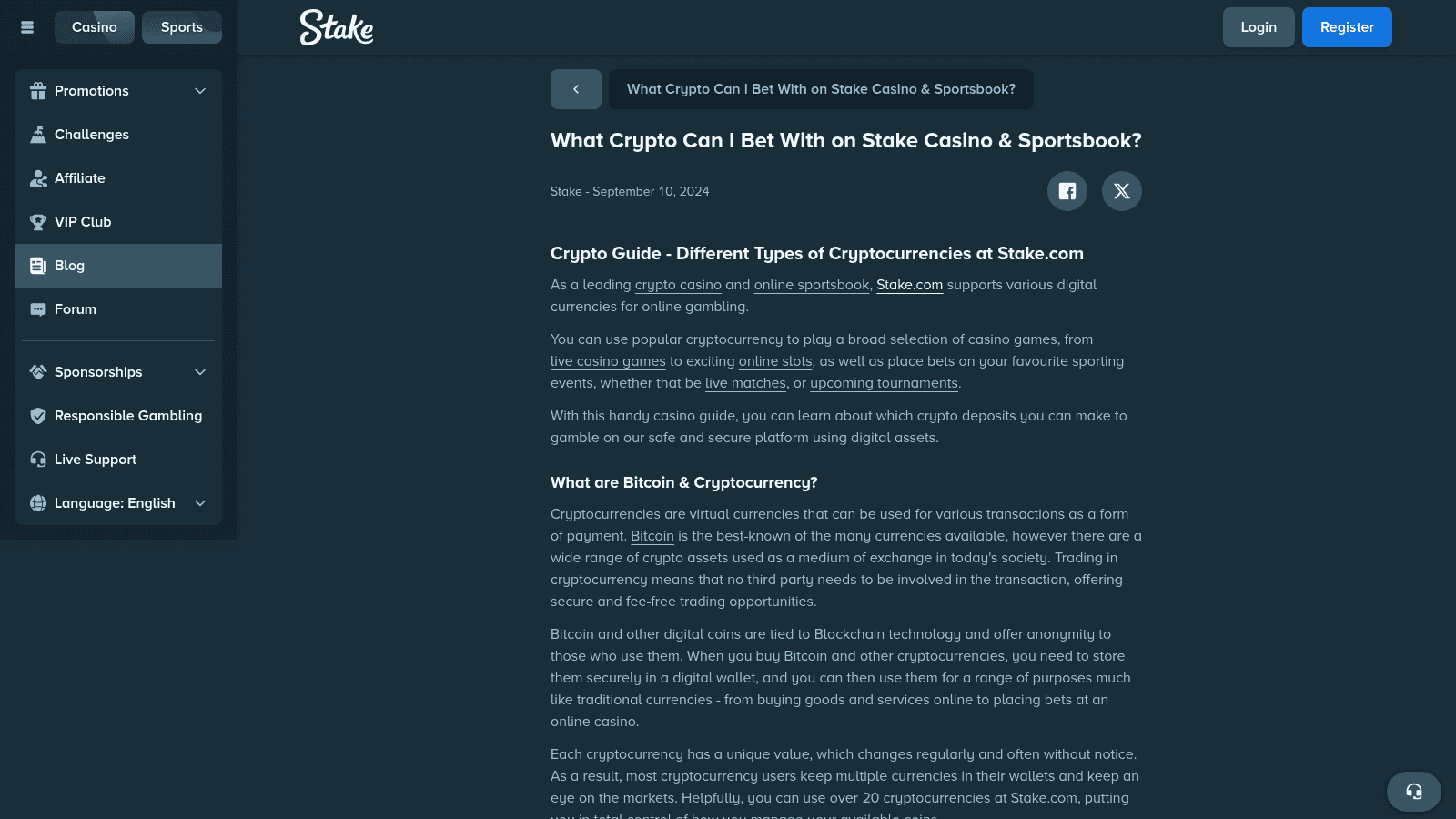
Stake operates without traditional fiat currency accounts. This design eliminates intermediaries, reduces processing delays, and allows the platform to offer instant deposits and withdrawals. Players control their funds directly via blockchain transactions, and Stake’s wallet system displays real-time balances in the coin of your choice.
Open your Stake account and navigate to Wallet > Deposit. A dropdown menu displays every supported cryptocurrency and its accepted blockchain networks. This list updates in real time as Stake adds or adjusts coin support. Always check this menu before depositing to confirm current availability in your region.
Stake.com supports 21 cryptocurrencies grouped into four categories: major coins (BTC, ETH, LTC, DOGE, BCH), stablecoins (USDT, USDC, DAI), fast low-fee coins (TRX, SOL, EOS, Polygon), and altcoins/meme coins (SHIB, SAND, APE, LINK, UNI, BNB, CRO, XRP, TRUMP). Each category serves a different player need, from familiarity and stability to speed and cost efficiency.
Bitcoin and Ethereum dominate Stake’s user base. Bitcoin (BTC) is the most recognized and widely held crypto globally. Ethereum (ETH) powers the largest ecosystem of decentralized applications and is considered a long-term store of value by many players. Litecoin (LTC) processes transactions in roughly 2.5 minutes compared to Bitcoin’s 10 minutes, making it faster for frequent deposits and withdrawals. Dogecoin (DOGE) attracts players who prefer lower per-coin values and enjoy the community aspect. Bitcoin Cash (BCH) offers similar speed to Litecoin with lower fees on many networks.
Stablecoins eliminate price volatility by pegging their value to the US dollar. Tether (USDT) is the most widely used stablecoin across crypto platforms. USD Coin (USDC) is backed by regulated financial institutions and appeals to players seeking additional security. Dai (DAI) is fully decentralized and crypto-collateralized, offering an alternative for players concerned about centralized stablecoin risks. All three are ideal for players who want to preserve winnings without exposure to crypto price swings.
Tron (TRX) processes transactions in seconds with minimal fees, making it the preferred choice for frequent small deposits and withdrawals. Solana (SOL) combines high throughput with low costs and has become a major network for crypto gambling. EOS offers similar speed and cost benefits. Polygon (MATIC) operates as a layer-2 scaling solution for Ethereum, delivering fast transactions at a fraction of Ethereum’s gas fees. Players prioritizing speed and cost efficiency gravitate toward these four.
Shiba Inu (SHIB) and TrumpCoin (TRUMP) are meme coins with large communities and high volatility. The Sandbox (SAND), ApeCoin (APE), Chainlink (LINK), and Uniswap (UNI) are utility tokens tied to specific blockchain ecosystems. Binance Coin (BNB) is the native token of Binance Smart Chain and carries significant liquidity. Cronos (CRO) powers the Cronos blockchain. XRP (Ripple) is a legacy altcoin with a dedicated following. These coins appeal to players who already hold them or want exposure to specific DeFi or gaming ecosystems.
Each coin on Stake.com must be sent via its correct blockchain network, for example, ETH uses ERC20 or BEP20, USDT supports five networks (ERC20, BEP20, Polygon, TRC20, Solana), and TRUMP is Solana-only. Sending crypto via an unsupported network results in permanent loss of funds. The network is not optional; it is a critical part of the deposit process.
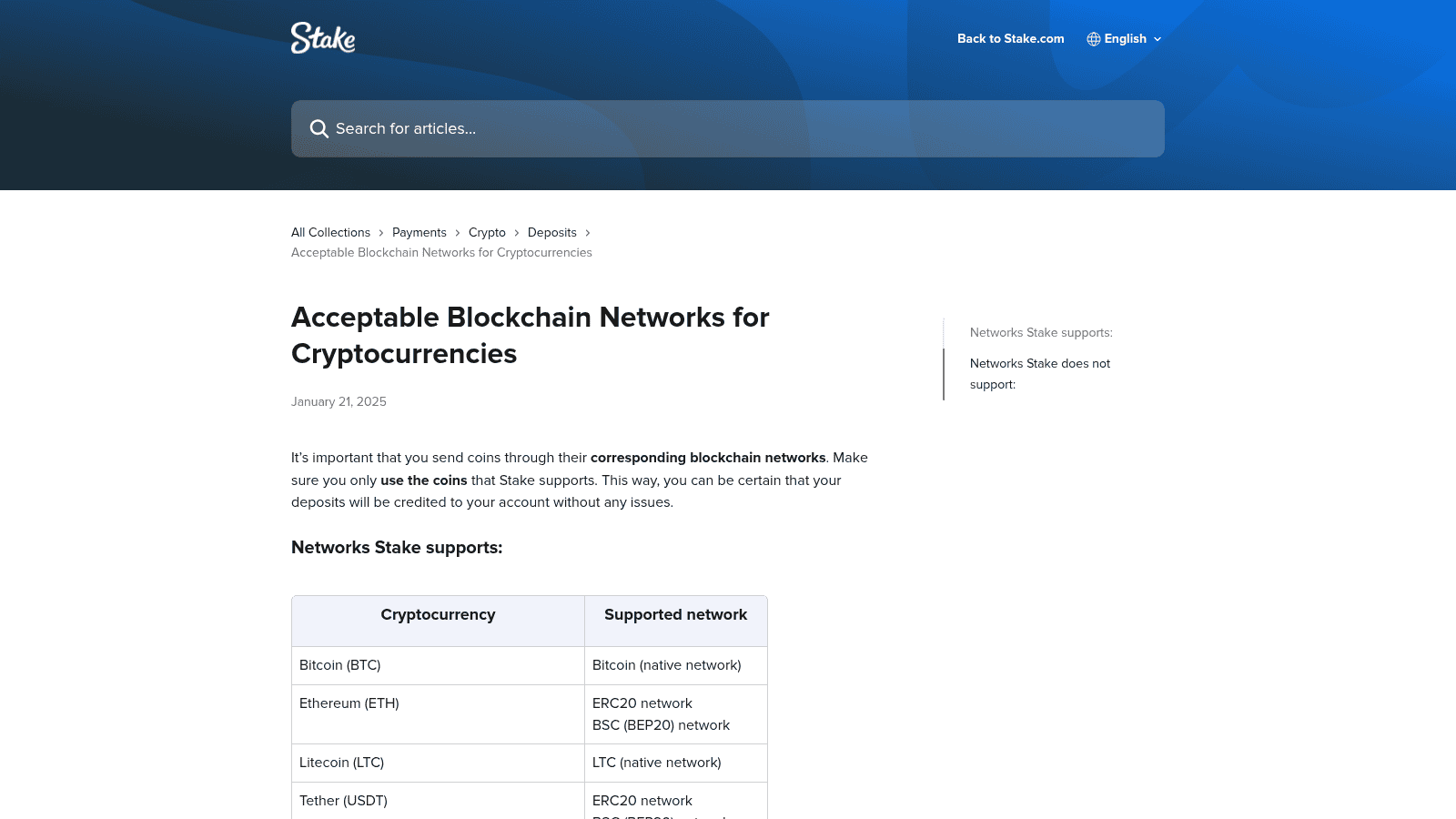
The following table details which networks support each cryptocurrency:
| Cryptocurrency | Supported Networks |
|---|---|
| Bitcoin (BTC) | Bitcoin native network |
| Ethereum (ETH) | ERC20, BEP20 (BSC) |
| Litecoin (LTC) | LTC native network |
| Dogecoin (DOGE) | DOGE native network |
| Bitcoin Cash (BCH) | BCH native network |
| XRP (Ripple) | Ripple network |
| EOS | EOS native network |
| Tron (TRX) | TRC20 network |
| Solana (SOL) | Solana native network |
| Binance Coin (BNB) | BEP20 (BSC) |
| Tether (USDT) | ERC20, BEP20, Polygon, TRC20, Solana |
| USD Coin (USDC) | ERC20, BEP20, Polygon, Solana |
| Dai (DAI) | ERC20, BEP20, Polygon |
| Chainlink (LINK) | ERC20, BEP20 |
| The Sandbox (SAND) | ERC20 |
| Shiba Inu (SHIB) | ERC20, BEP20 |
| Uniswap (UNI) | ERC20, BEP20 |
| Polygon (MATIC) | ERC20, BEP20, Polygon native |
| Cronos (CRO) | ERC20 |
| ApeCoin (APE) | ERC20 |
| TrumpCoin (TRUMP) | Solana native network |
USDT is the most flexible coin on Stake, supported across five separate blockchains. This flexibility allows players to choose based on their priorities: ERC20 is the original Ethereum network but carries higher gas fees; BEP20 (Binance Smart Chain) offers lower fees than ERC20; Polygon is a layer-2 solution with minimal fees; TRC20 (Tron) is extremely fast and cheap; Solana is the fastest and cheapest option. USDC, DAI, ETH, and Polygon also support multiple networks, giving players options for cost and speed optimization.
These coins operate on their native blockchains only. Bitcoin must be sent via the Bitcoin network, Litecoin via the Litecoin network, and so on. There is no choice of network for these coins. Attempting to send them via any other blockchain will result in loss of funds. Verify your exchange or wallet is set to the correct native network before confirming the transaction.
Stake.com does not support Arbitrum, Optimism, Base, or the native Cronos network. Sending crypto via any of these unsupported networks can result in permanent loss of funds. These are layer-2 solutions or alternative blockchains that Stake has not integrated. Even if a coin technically exists on these networks, Stake’s wallet will not recognize deposits sent via them.
Funds sent to a Stake deposit address via an unsupported network are not automatically credited to your account. The transaction reaches the blockchain but Stake’s system does not process it. Recovery is extremely difficult and often impossible. Contact Stake’s support team immediately with your transaction hash if this occurs, but do not expect a refund. Prevention is the only reliable solution.
Before sending any crypto, open Stake’s Wallet > Deposit menu and select your coin. The supported networks appear in a dropdown or list directly below the coin selection. Cross-reference this list with your exchange or wallet’s network options. If your wallet does not offer one of Stake’s supported networks, use a different coin or exchange. Take 30 seconds to verify; it prevents permanent loss.
Stake.com supports USDT on five blockchain networks: ERC20, BEP20 (BSC), Polygon, TRC20 (Tron), and Solana. TRC20 and Solana typically offer the lowest fees and fastest confirmation times. USDT’s multi-network support makes it the most flexible stablecoin on the platform. Your choice of network depends on whether you prioritize cost, speed, or familiarity.
ERC20 is the original Ethereum network and the most widely supported across exchanges. However, Ethereum network fees (gas) are variable and can be substantial during peak times. TRC20 (Tron) processes transactions in seconds with low fees. Solana is similarly fast with minimal fees. For small deposits or frequent transactions, TRC20 or Solana are superior. For large deposits where network fees represent a small percentage of the total, ERC20 is acceptable.
Fee and Speed Comparison: ERC20, TRC20, SolanaERC20 transactions confirm in 12 to 30 seconds but incur variable gas fees. TRC20 confirms in 3 to 5 seconds with fixed low fees. Solana confirms in 2 to 4 seconds with minimal fees. If you are depositing $100 or less, the network fee difference is material. If you are depositing $5,000, all three networks are practical, and ERC20’s higher fee becomes a smaller percentage of your total.
Navigate to Wallet > Withdraw, select USDT, and choose your preferred network from the dropdown. Enter your destination wallet address and the amount. Stake will display the withdrawal fee for that network before you confirm. Solana and TRC20 withdrawals typically complete within minutes. ERC20 withdrawals may take longer during network congestion. Verify your destination address is correct; Stake cannot reverse withdrawals sent to the wrong address.
Every cryptocurrency on Stake.com has its own minimum withdrawal amount and network fee. There is no maximum withdrawal limit. Minimum withdrawals start at approximately $2.50 equivalent for stablecoins. Network fees vary based on blockchain congestion and the coin’s native fee structure. Stake displays these limits and fees in your wallet before you confirm any withdrawal.
The following table outlines typical withdrawal parameters for major cryptocurrencies. Actual minimum withdrawal amounts and fees may vary based on network conditions, exchange policies, and real-time blockchain requirements. Users should verify current withdrawal terms directly with their exchange before initiating transactions.
| Cryptocurrency | Minimum Withdrawal | Withdrawal Fee |
|---|---|---|
| Bitcoin (BTC) | 0.00002504 BTC | 0.00001571 BTC |
| Ethereum (ETH) | 0.00100000 ETH | 0.00067447 ETH |
| Litecoin (LTC) | 0.01857329 LTC | 0.00013800 LTC |
| Dogecoin (DOGE) | 5.49925970 DOGE | 0.52151198 DOGE |
| Bitcoin Cash (BCH) | 0.00405806 BCH | 0.00004000 BCH |
| Tether (USDT) | 2.50000000 USDT | 1.00000000 USDT |
| USD Coin (USDC) | 2.50000000 USDC | 1.00000000 USDC |
| Dai (DAI) | 2.50000000 DAI | 0.80000000 DAI |
| Solana (SOL) | 0.01050998 SOL | 0.00000500 SOL |
| Tron (TRX) | 7.82408913 TRX | 0.07336170 TRX |
| Binance Coin (BNB) | 0.00335730 BNB | 0.00002542 BNB |
| Chainlink (LINK) | 0.09825748 LINK | 0.05296495 LINK |
| Shiba Inu (SHIB) | 78795.08659000 SHIB | 23941.65317000 SHIB |
| Uniswap (UNI) | 0.13873145 UNI | 0.00077163 UNI |
| Polygon (MATIC) | 3.56742532 MATIC | 0.97322515 MATIC |
| Cronos (CRO) | 12.38101982 CRO | 6.28000000 CRO |
| The Sandbox (SAND) | 2.75329187 SAND | 0.74800000 SAND |
| ApeCoin (APE) | 1.33849659 APE | 0.15500000 APE |
| XRP (Ripple) | 1.00000000 XRP | 0.00010000 XRP |
| EOS | 1.87644594 EOS | 0.10788480 EOS |
| TrumpCoin (TRUMP) | 0.10000000 TRUMP | 0.02500000 TRUMP |
Solana (SOL) has the lowest absolute withdrawal fee at 0.00000500 SOL. XRP and Tron (TRX) also charge minimal fees. Stablecoins (USDT, USDC, DAI) charge fixed fees in their respective coin amounts, typically $0.80 to $1.00 equivalent. Meme coins like Shiba Inu carry high fees in absolute terms because the coin’s low price requires large quantities to represent value. For cost-conscious players, Solana, Tron, and XRP are the most economical choices.
To deposit crypto on Stake.com, go to Wallet > Deposit, select your coin and network, copy the deposit address, and send from your external wallet. Verify your email before your first deposit. The process takes minutes and requires no intermediary. Your funds arrive directly to your Stake account once the blockchain confirms the transaction.
Email verification is mandatory before any deposit. If you have not verified your email, Stake will prompt you to do so during account setup. Once verified, the deposit process is straightforward and repeatable for future transactions.
If you do not own cryptocurrency, Stake offers MoonPay integration. Navigate to Wallet > Buy Crypto, select your desired coin and amount, and follow MoonPay’s checkout. You can purchase crypto using credit cards, debit cards, Apple Pay, or Google Pay. MoonPay charges a fee on top of the purchase price, but the convenience appeals to players new to crypto. The purchased coins arrive in your Stake wallet within minutes.
Stake offers regional welcome bonuses for new players. After your first deposit, check your account for bonus eligibility. Some bonuses require a minimum deposit amount or a promo code. Bonus terms vary by region, so review the specific conditions before depositing.
For beginners, Bitcoin or USDT is the safest choice. For fast, low-cost transactions, use Litecoin, Tron, or Solana. For price stability, choose USDT or USDC. The best coin depends on your priorities. No single coin is universally best; your choice reflects your priorities and circumstances.
Tron (TRX) and Solana (SOL) are the fastest and cheapest options. Transactions confirm in seconds with fees under $1. Litecoin (LTC) is slightly slower than Tron but still faster than Bitcoin and Ethereum. If you deposit and withdraw frequently, these three coins minimize your transaction costs over time. The fee difference compounds across multiple transactions.
Stablecoins (USDT, USDC, DAI) maintain a $1 peg and eliminate crypto price volatility. If you win and want to preserve your winnings without exposure to market swings, stablecoins are ideal. They also simplify mental math when calculating bet sizes and winnings. The trade-off is that stablecoins do not appreciate in value if the broader crypto market rallies.
Yes. Stake’s wallet includes a swap feature that allows you to convert between supported cryptocurrencies at market rates. This is useful if you receive a bonus in one coin but prefer to play in another, or if you want to shift from a volatile altcoin to a stablecoin. Swap fees are minimal and displayed before you confirm the transaction.
Stake.com supports 21+ cryptocurrencies: Bitcoin, Ethereum, Litecoin, Dogecoin, Bitcoin Cash, Tether, USD Coin, Dai, Solana, Tron, Binance Coin, Chainlink, The Sandbox, Shiba Inu, Uniswap, Polygon, Cronos, ApeCoin, XRP, EOS, and TrumpCoin. All are usable for deposits, wagering, and withdrawals. Check your Stake wallet for the current list, as availability may vary by region.
Yes. USDT is supported on five networks: ERC20, BEP20 (BSC), Polygon, TRC20 (Tron), and Solana. TRC20 and Solana offer the lowest fees and fastest confirmations. Choose based on your priorities for cost and speed.
Yes. TrumpCoin is supported on Stake and can be deposited and withdrawn via the Solana network. Solana transactions are fast and cheap, making TRUMP withdrawals efficient. Verify you are using the Solana network when sending TRUMP to or from Stake.
ERC20 is the Ethereum network and the most widely supported, but gas fees are often $5 to $20. TRC20 is the Tron network with fees typically under $1 and faster confirmation times. For small deposits, TRC20 is more economical. For large deposits, the fee difference is negligible.
Yes. Shiba Inu (SHIB) is supported on ERC20 and BEP20 networks. The Sandbox (SAND) is supported on ERC20. Both can be deposited, wagered, and withdrawn. Meme coins are more volatile than major coins, so understand the risk before using them.
There is no minimum deposit amount. You can deposit any amount, even a fraction of a coin. However, blockchain network fees apply to every transaction, so very small deposits may not be practical. For stablecoins, the effective minimum is around $2.50 after fees.
Funds sent via an unsupported network (Arbitrum, Optimism, Base, or native Cronos) will not be credited to your account. Recovery is extremely difficult and often impossible. Contact Stake support immediately with your transaction hash, but do not expect a refund. Always verify the correct network before sending.
Yes. Stake accepts three stablecoins: Tether (USDT), USD Coin (USDC), and Dai (DAI). All are pegged to the US dollar and eliminate crypto price volatility. USDT is the most widely used and supported on five networks. USDC and DAI are supported on multiple networks as well.

Secod has streamed and tested games on Stake extensively, giving him direct insight into the platform’s bonuses, features and gameplay conditions. His experience ensures every Stake review reflects real usage rather than surface level analysis.

© 2018-2026 bonustiime.com







Casiibro is currently offline.
Learn more about them on their channel!
▶ Visit Casiibro's channelOr head to the Stream Hub.