
How to Deposit on Stake: Crypto, Credit Card & MoonPay Guide 2024
Funding your Stake account takes minutes. Whether you're sending Bitcoin, swiping a credit card, or converting fiat through MoonPay, this guide walks you through every method, fee, and bonus claim.
Written by Secod on 06-02-2026


- How to Deposit Cryptocurrency
- How to Deposit Fiat Currency (No Crypto Required)
- Deposit Bonuses & How to Claim Them
- Deposit Limits & Verification Requirements
- Troubleshooting Deposit Problems
- Deposit Security & Best Practices
- Deposit From Your Country or Region
- Frequently Asked Questions About Stake Deposits
- Ready to Fund Your Account?
Which Deposit Method Is Right for You?
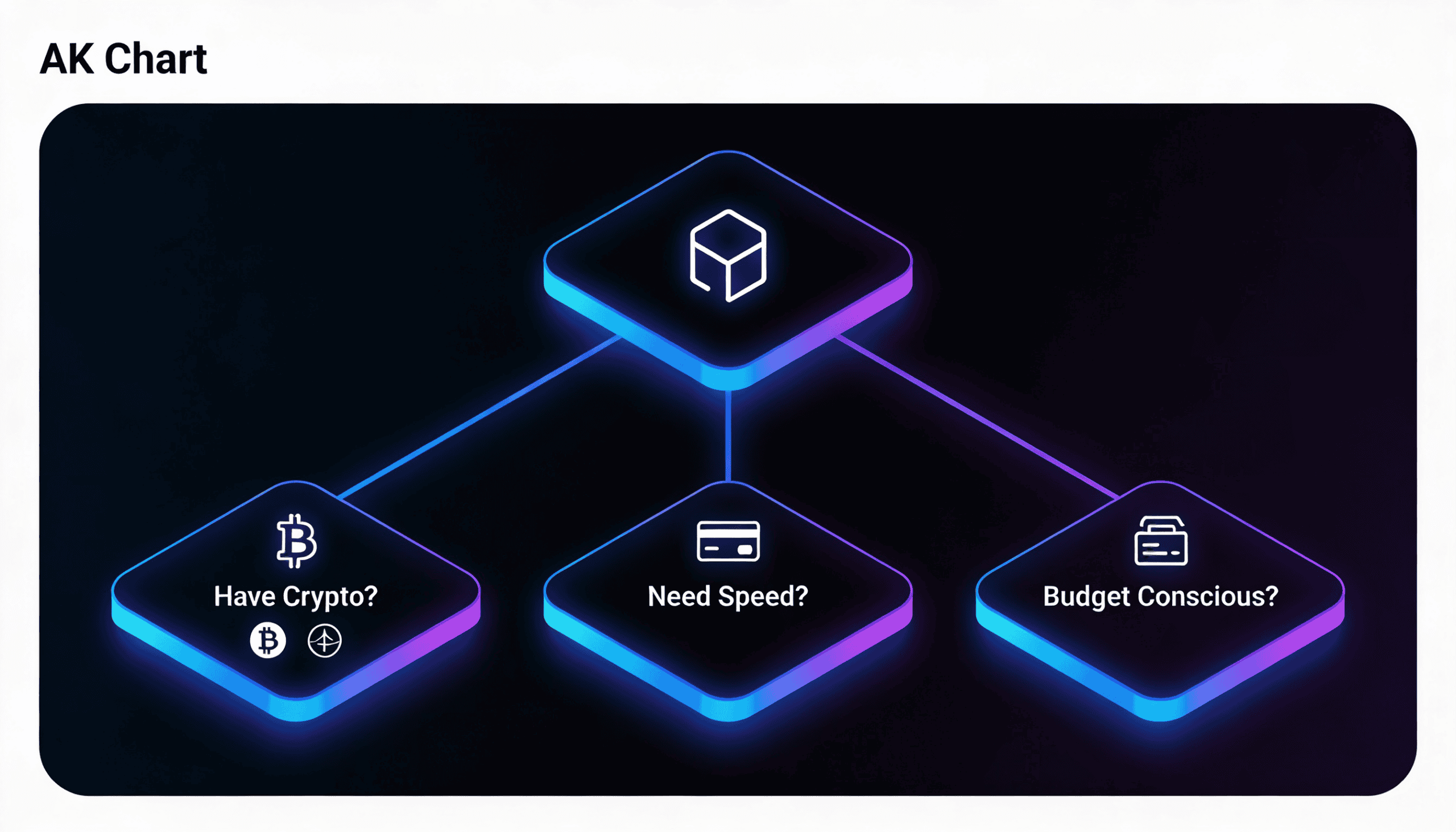
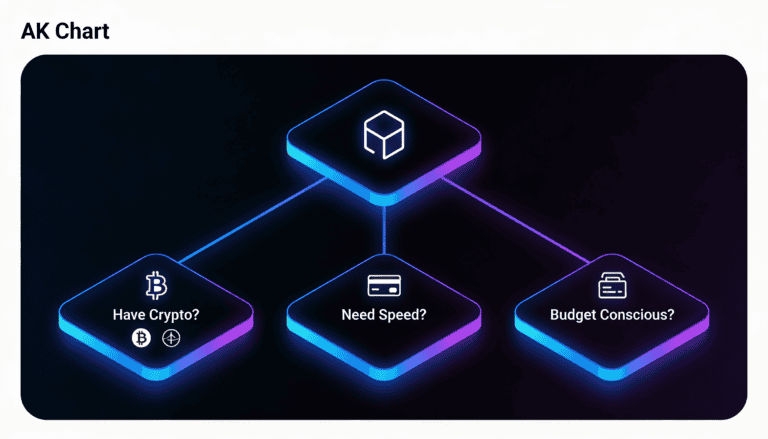
Your best path depends on two things: Do you already hold crypto? And how fast do you need funds live? Here’s the breakdown.
| Deposit Method | Processing Time | Typical Fee | Best For |
|---|---|---|---|
| Credit Card (Visa/MC) | Instant | 2–3% | First-time depositors; fiat-only users |
| MoonPay (Fiat Gateway) | 5–15 mins | 1.5–4.5% | No crypto yet; real-time fiat conversion |
| Bitcoin | 10–30 mins | Network dependent | Crypto holders; lowest long-term fees |
| Ethereum | 10–30 mins | Network dependent | ERC-20 token support; flexible |
| Litecoin | 5–15 mins | Network dependent | Lowest network fees; faster confirmation |
| Google Pay / Apple Pay | Instant | 2–3% | Mobile-first; linked to existing card |
| Bank Transfer (ACH/Wire) | 1–3 business days | 0–$5 flat | Large deposits; lowest percentage fees |
Quick logic: If you have crypto → Bitcoin or Ethereum. If you don’t → MoonPay or credit card. In a rush → Fiat methods. On a budget → Bank transfer or Litecoin (if you have it).
How to Deposit Cryptocurrency
Crypto deposits are secure, transparent, and give you the option to avoid fiat fees entirely. You’ll generate a unique wallet address on Stake, then send funds from your personal wallet.
How to Deposit Bitcoin or Ethereum
Most users start here. Bitcoin is the most liquid; Ethereum is flexible for token swaps later.
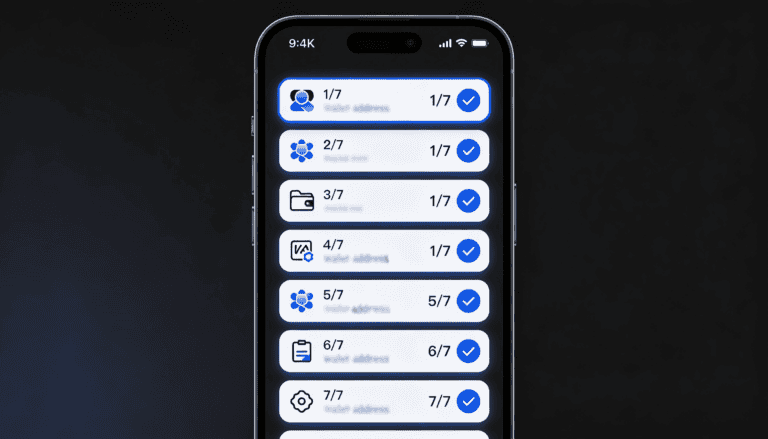
- Log in to your Stake account. Navigate to the dashboard and click your account menu (usually top-right).
- Select “Deposit” from the dropdown options.
- Choose your crypto method. Select Bitcoin, Ethereum, Litecoin, or another supported asset.
- Copy your Stake deposit address. This is your unique wallet on Stake’s network. Don’t close this screen yet.
- Go to your personal crypto wallet. Could be Coinbase, MetaMask, Kraken, hardware wallet, etc.
- Send funds to the Stake address. Double-check the address character-by-character. Crypto transfers are irreversible.
- Wait for network confirmation. Bitcoin typically needs 2–3 confirmations. Ethereum is faster (10–15 seconds). Your Stake balance updates after confirmation.
Expected timeline: Bitcoin deposits arrive in 10–30 minutes. Ethereum usually lands in under 5 minutes once the blockchain confirms. Network congestion can add time.
💡 Pro tip: Use Litecoin if you’re depositing under $500. Network fees run 50–80% lower than Bitcoin, and confirmation happens in 2–5 minutes.
Supported Cryptocurrencies & Network Options
| Cryptocurrency | Networks Supported | Min Deposit | Avg Confirmation Time |
|---|---|---|---|
| Bitcoin (BTC) | Bitcoin mainnet | 0.0001 BTC (~$4) | 10–30 mins |
| Ethereum (ETH) | Ethereum mainnet | 0.001 ETH (~$2) | 2–5 mins |
| Litecoin (LTC) | Litecoin mainnet | 0.01 LTC (~$1.50) | 5–15 mins |
| USDT | Ethereum (ERC-20), Tron (TRC-20) | 10 USDT | 2–5 mins |
| USDC | Ethereum (ERC-20) | 10 USDC | 2–5 mins |
Always confirm your wallet supports the correct network. Sending Ethereum to a Bitcoin address loses the funds permanently.
How to Deposit Fiat Currency (No Crypto Required)
Don’t have cryptocurrency? No problem. Fiat gateways like MoonPay and credit cards convert dollars, euros, or pounds to your Stake balance instantly.
How to Deposit via MoonPay (Recommended for Fiat)
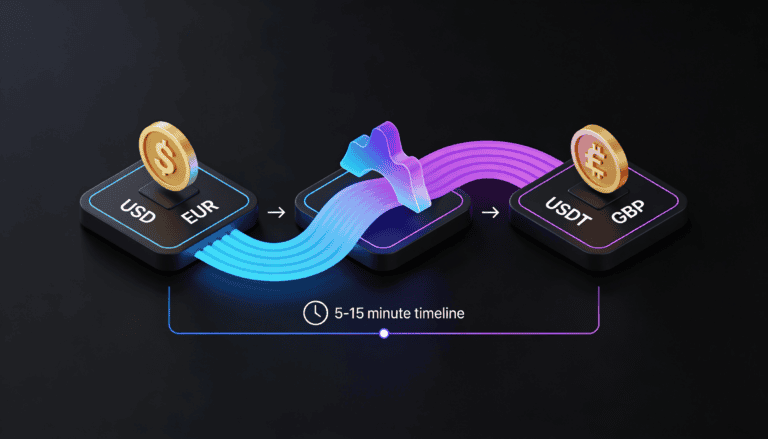
MoonPay is Stake’s integrated fiat-to-crypto bridge. You pay in USD, EUR, or GBP; they convert to USDT or your chosen asset in real time.
- From your Stake dashboard, click “Deposit”.
- Select “MoonPay” or “Fiat Gateway”.
- Choose your country. This determines available payment methods (credit card, bank transfer, Apple Pay, Google Pay).
- Enter your deposit amount. Example: $100 USD. You’ll see the fiat fee (typically 1.5–4.5%) and the USDT amount you’ll receive after conversion.
- Select your payment method. Credit card is fastest; bank transfer is cheapest for large deposits.
- Complete identity verification if prompted. First-time MoonPay users may need to verify via photo ID and selfie. Takes 1–3 minutes.
- Confirm payment details and submit. You’ll be redirected to MoonPay’s secure checkout. Once approved, funds land in your Stake account in 5–15 minutes.
Typical MoonPay fees: Credit card: 3.99% + $0.99. Bank transfer: 1.5% (minimum). Debit card: 2.99% + $0.99.
⚠️ Identity Verification: MoonPay requires KYC for deposits over $500 in most regions. This is a compliance requirement, not a Stake barrier. Verification usually takes 1–2 minutes via selfie.
How to Deposit via Credit Card or Debit Card
Direct card deposits are instant, though fees run slightly higher than MoonPay bank transfers.
- Log into Stake. Go to Deposit → Select “Credit Card” or “Debit Card”.
- Enter card details. Visa, Mastercard, and some regional cards are accepted. Stake uses tokenized payments (your full card number isn’t stored).
- Confirm 3D Secure (if prompted). Your bank may send an SMS code to verify the transaction.
- Enter deposit amount. Set your USD, EUR, or local currency amount.
- Review fees and submit. Card deposits typically charge 2–3% + a small flat fee. Your balance updates instantly or within 1–2 minutes.
Card deposit limits: Most cards allow $500–$5,000 per transaction, depending on your card issuer and Stake’s regional policies. Unverified accounts may have lower limits.
How to Deposit via Google Pay or Apple Pay
If your card is linked to Google Pay or Apple Pay, deposits are the fastest fiat option on mobile.
- Open Stake on mobile. Tap Deposit → Select “Google Pay” or “Apple Pay”.
- Confirm your payment card. Your phone will display your linked card (usually your default).
- Enter the deposit amount. Typical limits: $50–$2,500 per transaction.
- Authenticate with your phone’s biometric or PIN. Confirm the payment to finalize.
- Funds arrive immediately. Your Stake balance updates within seconds.
Google Pay and Apple Pay deposits bypass some card decline rates because your phone’s issuer handles tokenization. You’ll still see a 2–3% processing fee.
How to Deposit via Bank Transfer (ACH / SEPA / Wire)
Lowest fees for large deposits. Slowest method—expect 1–3 business days.
- Log into Stake and go to Deposit.
- Select “Bank Transfer” or your region’s equivalent (ACH in USA, SEPA in EU, etc.).
- View Stake’s bank account details. You’ll see the account number, routing number, and beneficiary name. Copy these exactly.
- Go to your bank’s website or app. Initiate a new transfer to the Stake account details.
- Enter the amount and confirm. Include a reference code if prompted (Stake will provide one to link the transfer to your account).
- Wait for settlement. ACH transfers clear in 1–2 business days; SEPA in 1–3 days; international wires in 2–5 days depending on routing.
Bank transfer fees: Usually $0–$5 flat. No percentage. Best for deposits over $1,000.
Deposit Bonuses & How to Claim Them
Stake offers welcome bonuses and reload incentives for eligible deposits. Bonuses aren’t automatic—you need to meet specific criteria and claim them explicitly.
⚠️ Important: Bonuses come with wager requirements. You’ll need to play through your bonus funds before withdrawing winnings. See the table below for details.
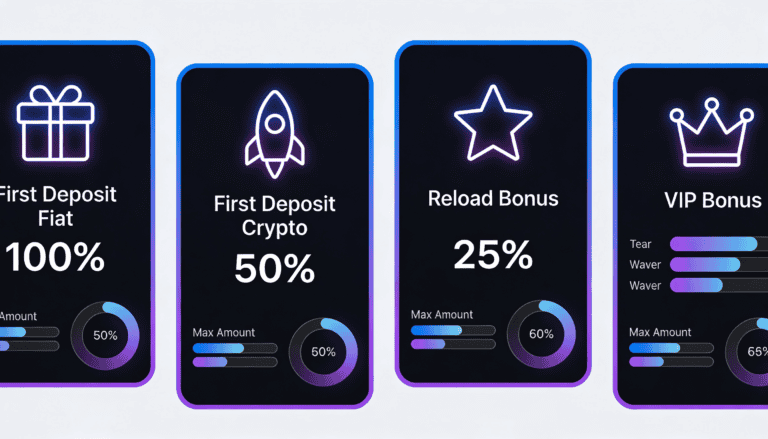
| Bonus Type | First Deposit % | Max Bonus | Min Deposit | Wager Multiple | Time Limit |
|---|---|---|---|---|---|
| First Deposit (Fiat) | Up to 100% | $500–$1,000 | $25 | 8x–20x | 30 days |
| First Deposit (Crypto) | Up to 50% | $500 | $25 | 5x–10x | 30 days |
| Reload Bonus | 10%–25% | $200–$500 | $50 | 5x–15x | 7 days |
| VIP Deposit Bonus | Up to 100% | Tier-dependent | Tier-dependent | 2x–5x | Tier-dependent |
Example: You deposit $100 via credit card and claim a 100% bonus. You receive $100 in bonus funds. Your total balance is $200. You must wager $200 × 10 (for example) = $2,000 in bets before you can withdraw profits. Losses reduce your remaining bonus balance.
How to Claim a Deposit Bonus
- Make your qualifying deposit. Check the bonus terms for minimum amounts and accepted payment methods.
- Look for a “Claim Bonus” button in your account or promotions tab. Not all bonuses are automatic; many require manual opt-in within 7 days of deposit.
- Confirm the bonus terms. Review the wager requirement, expiration date, and any game restrictions (some bonuses exclude certain games).
- Click “Claim” and begin playing. Your bonus balance appears separately in your account. Play until you meet the wager requirement.
- After wagering is complete, withdraw or keep playing. Once you’ve met the wager, any winnings are yours to withdraw. Unused bonus balances typically expire 30 days after claim.
Regional note: Bonus terms vary by country. Some regions restrict first-deposit bonuses due to local gambling laws. Check your bonus eligibility in your account settings or contact support.
Reload Bonuses & Rakeback
After your first deposit, Stake offers reload bonuses on subsequent deposits (usually 10–25%) and rakeback rewards (cash back on losses).
Reload bonus: Every Tuesday or on specific campaigns, deposit $50+ and claim a reload bonus (example: 25% up to $200). Wager requirement: typically 5x. Time limit: 7 days.
Rakeback: VIP members earn a percentage of losses back as cashable rewards. Example: 5% rakeback means for every $1,000 you lose, you earn $50. This is ongoing—no wager requirement.
Check Stake’s promotions tab regularly. Reload and rakeback offers rotate weekly or monthly.
Deposit Limits & Verification Requirements
Stake enforces deposit limits and KYC (Know Your Customer) verification to comply with gambling and financial regulations. Here’s what triggers verification and what limits apply.
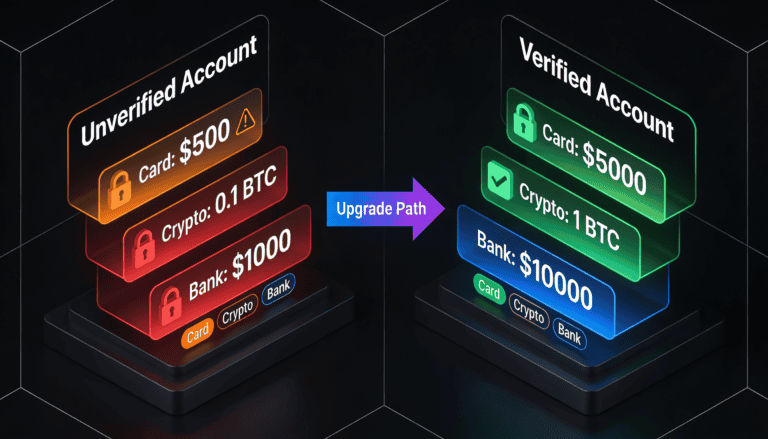
| Deposit Method | Min Deposit | Max (Unverified) | Max (Verified) | Verification Required |
|---|---|---|---|---|
| Credit Card | $10 | $500 | $5,000+ | Over $500 |
| Debit Card | $10 | $500 | $5,000+ | Over $500 |
| Google Pay / Apple Pay | $10 | $2,500 | $5,000+ | Over $2,500 |
| Bitcoin / Ethereum / Litecoin | ~$1 | Unlimited | Unlimited | Over $3,000 (varies by region) |
| MoonPay | $25 | $500 | $5,000+ | Over $500 |
| Bank Transfer (ACH / SEPA) | $100 | $1,000 | $50,000+ | Always required |
Regional variation: These limits are global defaults. USA, UK, Canada, and Australia may have different thresholds due to local regulation. India and Brazil may restrict certain methods. Check your account for region-specific limits.
Why Does Verification Take Time?
It’s not bureaucratic friction—it’s protection. Verification prevents fraud, money laundering, and account takeovers. Stake is legally required to verify identity for large deposits and withdrawals in most jurisdictions.
Typical verification timeline: 1–5 minutes for most users. Automated checks (ID scan + selfie) are instant in ~80% of cases. Manual review adds 1–24 hours if documents are unclear or flagged.
How to Verify Your Account
- Go to Settings → Account → Verification.
- Confirm your email address. Click the verification link sent to your registered email. Takes 30 seconds.
- Verify your phone number. Enter your mobile number and confirm the SMS code sent by Stake. Takes 1 minute.
- Upload a government-issued ID. Passport, driver’s license, or national ID card. Photo must be clear and not expired.
- Take a selfie for biometric matching. Look directly at the camera. Verification AI compares your face to your ID.
- Confirm your address. Provide a recent utility bill, bank statement, or government document showing your name and address (dated within 3 months).
- Submit and wait. Most verifications complete within minutes. Complex cases may require 1–2 hours or manual review.
✓ What verification covers: Once verified, you unlock higher deposit and withdrawal limits, bonus eligibility in some regions, and faster payouts. Verification is tied to your account and doesn’t reset between sessions.
Troubleshooting Deposit Problems
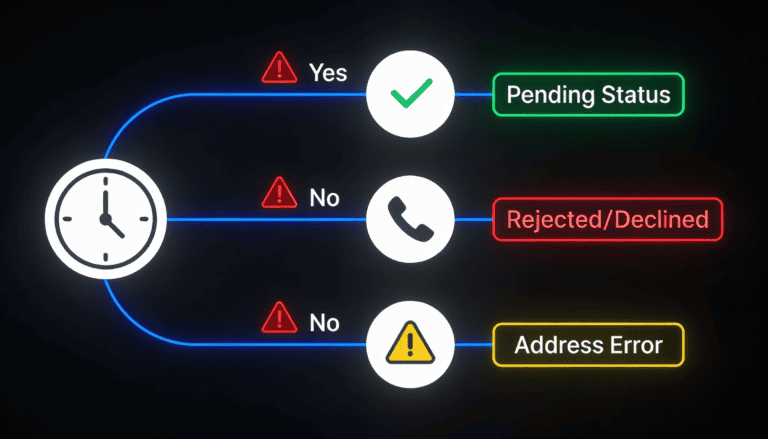
Deposits usually land without a hitch. But if something stalls, here’s how to diagnose and fix it fast.
Deposit Not Showing Up?
Step 1: Check if it’s still pending.
- Go to your Stake account → Transaction History or Deposit Status.
- Look for your deposit transaction. Is the status “Pending” or “Confirmed”?
- If pending: Don’t panic. Crypto deposits need 2–3 network confirmations. Fiat deposits might be processing. Wait the expected timeline (see table in “Which Deposit Method” section).
- If confirmed: Balance should reflect instantly. If not, refresh your browser or log out and log back in.
Step 2: Verify the blockchain (crypto deposits only).
- Copy your transaction ID (TXID) from your Stake transaction history.
- Paste it into a blockchain explorer (Bitcoin: blockchain.com, Ethereum: etherscan.io, Litecoin: blockchair.com).
- Look for “Confirmations.” Bitcoin needs 2–3; Ethereum needs 12–15; Litecoin needs 4–6.
- If confirmations are Network is processing. Stake will credit your account once minimum confirmations hit.
- If confirmations are ≥ minimum but Stake balance hasn’t updated: Rare edge case. Screenshot your TXID and contact support.
Step 3: Check for deposit errors.
- “Insufficient balance” error: You don’t have enough in your sending wallet to cover the amount + network fees. Add more and retry.
- “Invalid address” error: You may have pasted the Stake address wrong, or your wallet doesn’t support the network. Copy the address again character-by-character and confirm the network (Bitcoin, Ethereum, etc.).
- “Transaction failed” or “Network error”: Temporary glitch. Wait 1 minute and retry. If it persists, switch networks (use Litecoin instead of Bitcoin) or try a different payment method.
Deposit Rejected or Declined?
Credit card declines are common on first transactions due to fraud detection.
- Contact your card issuer. Call the number on the back of your card. Explain you’re funding a gambling site. Ask them to approve Stake transactions.
- Try a different card. Some card networks (American Express, certain banks) block gambling deposits outright in your region. Use a Visa or Mastercard.
- Use Google Pay or Apple Pay instead. These bypass some card-level restrictions because your phone’s payment processor handles the authorization.
- Try MoonPay’s bank transfer option. If your card is flagged, a direct bank transfer may slip through without friction.
MoonPay verification delays: If MoonPay asks for extra ID docs, it’s a compliance hold. Upload a clear copy of your government ID and a selfie. Most reviews resolve in 1–3 hours.
Funds Sent But Address Was Wrong?
Crypto deposits are irreversible. If you sent to the wrong address, the funds are likely lost.
- Check if the address was yours: Search the TXID on a blockchain explorer and see where the funds landed. If it’s a public address, it may be recoverable (contact the recipient or the platform that address belongs to).
- If it’s a random address: Unfortunately, it’s gone. This is why double-checking is critical.
- Contact Stake support with your TXID. They can sometimes assist if you sent to a Stake-related address by mistake, but can’t recover funds sent off-platform.
Lesson: Always send a small test amount first (e.g., 0.001 BTC) to a new address. Once it arrives safely, send the full amount.
Deposit Limit Exceeded?
- Check your unverified limit: You may have hit the daily or per-transaction cap. Verify your account to unlock higher limits (see “Deposit Limits & Verification”).
- Verify your identity: After verification, most users can deposit up to $5,000–$50,000+ depending on method and region.
- Split large deposits: If you need to fund $10,000, deposit $5,000 on Monday and $5,000 on Wednesday to avoid single-transaction limits.
Still Not Resolved? Contact Stake Support
Have your transaction ID (TXID for crypto; reference number for fiat), deposit amount, payment method, and timestamp ready. Stake’s support team typically responds within 2–4 hours.
- Open a support ticket in-app (Settings → Help or Contact Us).
- Provide your TXID and clear description of the issue.
- Include a screenshot of the pending transaction if helpful.
Deposit Security & Best Practices
Stake uses industry-standard encryption and compliance protocols. But your security also depends on protecting your own account.
Keep Your Account Safe
- Enable two-factor authentication (2FA). Go to Settings → Security → 2FA. Use an authenticator app (Google Authenticator, Authy), not SMS if possible. SMS is easier but less secure.
- Use a unique, strong password. Mix uppercase, lowercase, numbers, and symbols. Don’t reuse passwords from other sites.
- Never share your recovery codes. If Stake asks for backup codes, those are only for you in case you lose your 2FA device.
- Verify the Stake domain. Always visit stake.com or your region’s variant (stake.us, etc.). Scammers create fake login pages that steal credentials.
- Clear your browser cache on shared computers. If you log in at an internet café or library, log out fully and clear auto-fill data.
Secure Crypto Withdrawals
When you withdraw to a personal crypto wallet, Stake can’t recover funds if you provide the wrong address.
- Double-check your wallet address. Copy-paste from your wallet app, not from memory or chat. Malware can alter clipboard data—manually verify the first and last 6 characters match.
- Confirm the blockchain network. Sending Bitcoin to an Ethereum address (or vice versa) loses the funds. Stake requires you to select the correct network.
- Test with a small amount first. Withdraw $10–$20 to a new address to confirm it works. Once confirmed, withdraw larger amounts.
Protect Against Phishing & Scams
- Stake will never ask for your password or 2FA codes via email, chat, or phone. If someone claiming to be Stake support asks, it’s a scam.
- Avoid clicking links in unsolicited emails. Phishing emails mimic Stake perfectly. Instead, navigate to stake.com directly in your browser.
- Beware of “deposit promo” DMs. Random users on social media offering bonus codes are scammers. Only claim bonuses from within your account or official Stake channels.
- Report suspicious activity immediately. If you see a failed login, unusual transaction, or account access from an unfamiliar device, reset your password and contact support.
Deposit From Your Country or Region
Depositing from the USA
Available methods: Credit card, debit card, Google Pay, Apple Pay, MoonPay, bank transfer (ACH), Bitcoin, Ethereum, Litecoin, USDT, USDC.
Important notes: Stake.us operates under Nevada gaming regulations. Bank transfers via ACH typically clear in 1–2 business days. Credit card deposits may trigger fraud alerts from your bank; contact your issuer to approve gambling transactions. Crypto deposits have no KYC limit.
Deposit limit (unverified): $500. Verified: $5,000+ depending on method.
Bonus eligibility: First-deposit bonus (fiat): up to 100%. First-deposit bonus (crypto): up to 50%. Both available in most US states.
Depositing from Canada
Available methods: Credit card, debit card, Google Pay, MoonPay (CAD), Interac e-Transfer, Bitcoin, Ethereum, Litecoin.
Important notes: Interac e-Transfer is popular and instant. MoonPay supports CAD directly. Some provinces (Ontario, Quebec) have gaming restrictions—check your provincial gambling laws before creating an account.
Deposit limit (unverified): $500 CAD. Verified: $5,000+ CAD.
Depositing from the UK
Available methods: Credit card, debit card, Google Pay, Apple Pay, MoonPay (GBP), bank transfer (SEPA), Bitcoin, Ethereum, Litecoin.
Important notes: Stake operates under UK Gambling Commission licensing (in select jurisdictions). Bank transfers (SEPA) clear in 1–3 business days. SEPA region-wide, so transfers from EU countries may also be available depending on licensing.
Deposit limit (unverified): £300. Verified: £5,000+.
Depositing from Australia
Available methods: Credit card, debit card, Google Pay, Apple Pay, MoonPay (AUD), POLi (Australian e-wallet), Bitcoin, Ethereum, Litecoin.
Important notes: POLi is the preferred local e-wallet and offers instant deposits. Stake operates under Australian interactive gambling regulations. Responsible gambling tools (deposit limits, time-outs) are available and encouraged.
Deposit limit (unverified): AUD $500. Verified: AUD $5,000+.
Depositing from India
Available methods: Bitcoin, Ethereum, Litecoin, USDT, USDC (crypto-only for legal clarity).
Important notes: Fiat deposits (credit card, bank transfer) may be restricted due to India’s evolving gambling regulations. Crypto deposits bypass these restrictions but are subject to India’s crypto taxation rules. Verify with a local tax professional on crypto transaction reporting.
Deposit limit: No stated limit for crypto; verify your local restrictions.
Depositing from Brazil
Available methods: Credit card (limited), MoonPay (BRL), Bitcoin, Ethereum, Litecoin, USDT.
Important notes: Brazil’s gaming regulations are evolving. Credit card deposits may face restrictions; MoonPay and crypto are more reliable. Check your state’s local laws (São Paulo vs. Rio, etc.) before depositing.
Deposit limit (unverified): BRL 1,500. Verified: BRL 5,000+.
Frequently Asked Questions About Stake Deposits
Is it safe to deposit on Stake?
Yes. Stake uses SSL encryption for data in transit, complies with global KYC/AML standards, and segregates customer funds from operational accounts. However, your security depends on protecting your password, 2FA, and never sharing your account credentials or recovery codes. Enable 2FA immediately after signup.
Why does Stake ask for verification?
Verification (KYC) is a legal requirement under gambling and anti-money laundering regulations in most countries. It protects you (prevents account takeover) and Stake (prevents fraud and illegal funding). Most verifications take 1–5 minutes via photo ID and selfie. You only need to verify once per account.
What’s the fastest deposit method?
Fiat methods like credit card, Google Pay, and Apple Pay are instant (funds appear in seconds to 1 minute). Ethereum deposits land in 2–5 minutes once the blockchain confirms. Bitcoin takes 10–30 minutes. Bank transfers take 1–3 business days but have the lowest fees for large amounts.
What’s the cheapest deposit method?
Bank transfer (ACH, SEPA, or wire) charges $0–$5 flat fee, making it the cheapest percentage-wise. For deposits over $1,000, bank transfer beats all other methods. For smaller amounts (under $500), crypto deposits (especially Litecoin) have the lowest absolute fees (usually under $0.50 network cost). Credit card charges 2–3% + $0.99–$1.00 flat.
Can I use someone else’s card to deposit?
No. Stake requires the cardholder’s name to match your account name for compliance. Using someone else’s card is a violation of Stake’s terms and may result in account suspension. All funds must come from sources you control or have explicit permission (e.g., a joint account with a family member).
Why was my deposit rejected?
Common reasons: (1) Your bank flagged the transaction as fraud—contact your bank to approve Stake payments. (2) You’ve exceeded your unverified deposit limit—verify your account. (3) Your card doesn’t support gambling transactions—try a different card or Google Pay. (4) Network/connectivity issue on Stake’s end—wait 5 minutes and retry. If it persists, contact support.
Do I need to verify to deposit?
Email and phone verification are required. Government ID verification (KYC) is required for fiat deposits over $500 and crypto deposits over $3,000 (varies by region). Address verification may be required for deposits over $5,000. First-time users can deposit up to $500 (unverified) on fiat methods without full KYC.
What happens if I deposit with a bonus code and want to withdraw immediately?
You can’t withdraw the bonus amount until you’ve met the wager requirement. Example: You deposit $100 with a 100% bonus (receiving $200 total) and a 10x wager requirement. You must wager $2,000 in bets before any winnings from the bonus are withdrawable. Your deposit funds (the original $100) may be withdrawable immediately depending on Stake’s bonus terms, but it’s rare—read the specific bonus terms in your account.
Can I cancel a deposit or get a refund?
Once a deposit is confirmed on the blockchain (crypto) or processed by your bank (fiat), it cannot be refunded by Stake. Deposits are final. If you deposit by mistake, contact support immediately—they may be able to reverse a transaction within minutes of submission, but once it’s confirmed, it’s yours to use. Crypto deposits are irreversible by definition.
Is there a maximum deposit limit?
Yes, depending on method and verification status. Unverified: $500–$2,500. Verified: $5,000–$50,000+ per transaction (some high-volume players can request higher limits). Crypto has fewer caps; Bitcoin and Ethereum deposits can be larger, but you’ll need to verify if over $3,000. Contact support to request a higher limit for large deposits.
Why is my deposit pending for so long?
Crypto: Bitcoin network congestion or low miner fees can delay confirmations. 1–2 hours is normal during peak times. Ethereum is usually faster. Fiat: Credit card may take 1–5 minutes if it’s a new card or your bank is reviewing it. Bank transfer takes 1–3 business days. If your deposit is pending longer than the expected timeline, check the blockchain (for crypto) or contact your bank (for fiat). If the blockchain shows confirmations but Stake hasn’t credited you, contact Stake support with your TXID.
Does Stake accept PayPal, Skrill, or Neteller?
Currently, Stake doesn’t integrate PayPal, Skrill, or Neteller directly. Available methods are credit/debit card, Google Pay, Apple Pay, MoonPay, bank transfer, and cryptocurrency. If you have a balance in Skrill or Neteller, you can withdraw to your bank account or credit card, then deposit to Stake via card or bank transfer.
What currency should I deposit in?
Deposit in your local currency if possible (USD, GBP, EUR, AUD, etc.) to avoid conversion fees. MoonPay and credit card methods support multiple currencies. Cryptocurrency deposits are converted to USDT or your chosen asset in real time, with minor conversion spreads (typically 0.5–1.5%). Your Stake balance is held in your chosen currency until withdrawal.
Ready to Fund Your Account?
You now know every deposit method, fee, timeline, and troubleshooting step. Pick the method that fits your situation—fast fiat for new players, crypto for low fees, bank transfer for large amounts—and get your account live.
Next steps:
- Log into your Stake account or create one if you haven’t yet.
- Go to Deposit and choose your method from the table above.
- Complete your deposit. Most methods take under 5 minutes; crypto takes 10–30.
- Check your transaction history to confirm funds arrived. Balances update instantly for fiat; blockchain confirmations add 5–30 minutes for crypto.
- Review any bonuses available and claim them if you’re eligible.
- Start playing with fund management in mind. Set deposit limits, take regular breaks, and only bet what you can afford to lose.
⚠️ Responsible Gaming Reminder: Gambling involves risk. Deposits are funds you use to play—not guaranteed returns. Stake provides deposit limits, time-out features, and self-exclusion options. Use them if you ever feel your play is becoming unmanageable. If you or someone you know is struggling with gambling, reach out to a support service in your region (UK: gambleaware.co.uk; USA: ncpg.org; Australia: problemgambling.gov.au; Canada: responsiblegambling.org).
Have a question about deposits not covered here? Open a support ticket in your Stake account or check the Deposit Bonus Guide, Crypto Deposits Deep Dive, Troubleshooting Deposits, Verification Requirements, or MoonPay Fiat Deposit Guide.

Secod has streamed and tested games on Stake extensively, giving him direct insight into the platform’s bonuses, features and gameplay conditions. His experience ensures every Stake review reflects real usage rather than surface level analysis.
Other Stake Deposit
Why Your MoonPay Deposit Failed: Fixes & Next Steps
February 2, 2026
How to Deposit on Stake: Methods, Steps & Requirements
February 2, 2026
Stake Deposit Methods & Payment Issues: Complete Guide
December 11, 2025
How to Deposit on Stake with Crypto (Step-by-Step 2025)
November 3, 2025
How to Deposit with Credit Card on Stake (2025 Guide)
September 15, 2025